Design System: From Code Chaos to Design Clarity
Forecastio | 0 → 1 Design System | Figma & Tokens | Shipped 2025


THE STORY
Understanding the codebase
When I joined, there was no design in the traditional sense. We had no Figma files, no style guides, and no mockups. There was only the live product. It was functional but built entirely by frontend developers on the fly. My challenge was not just to build a design system. I had to reverse-engineer order from a chaotic codebase and close the gap between engineering logic and user experience.
Product
Web | B2B SaaS
TIMELINE
2025
MY ROLE
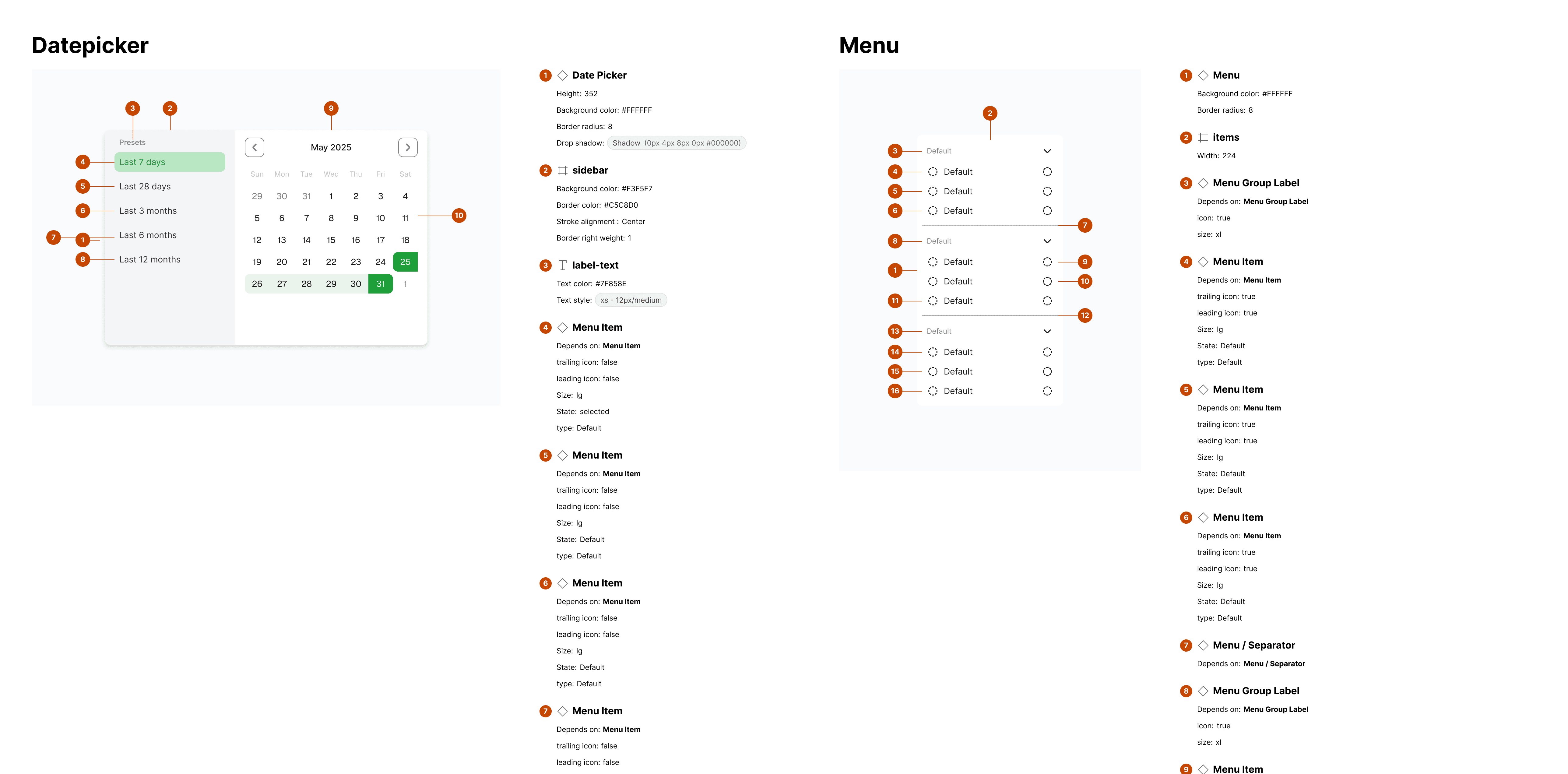
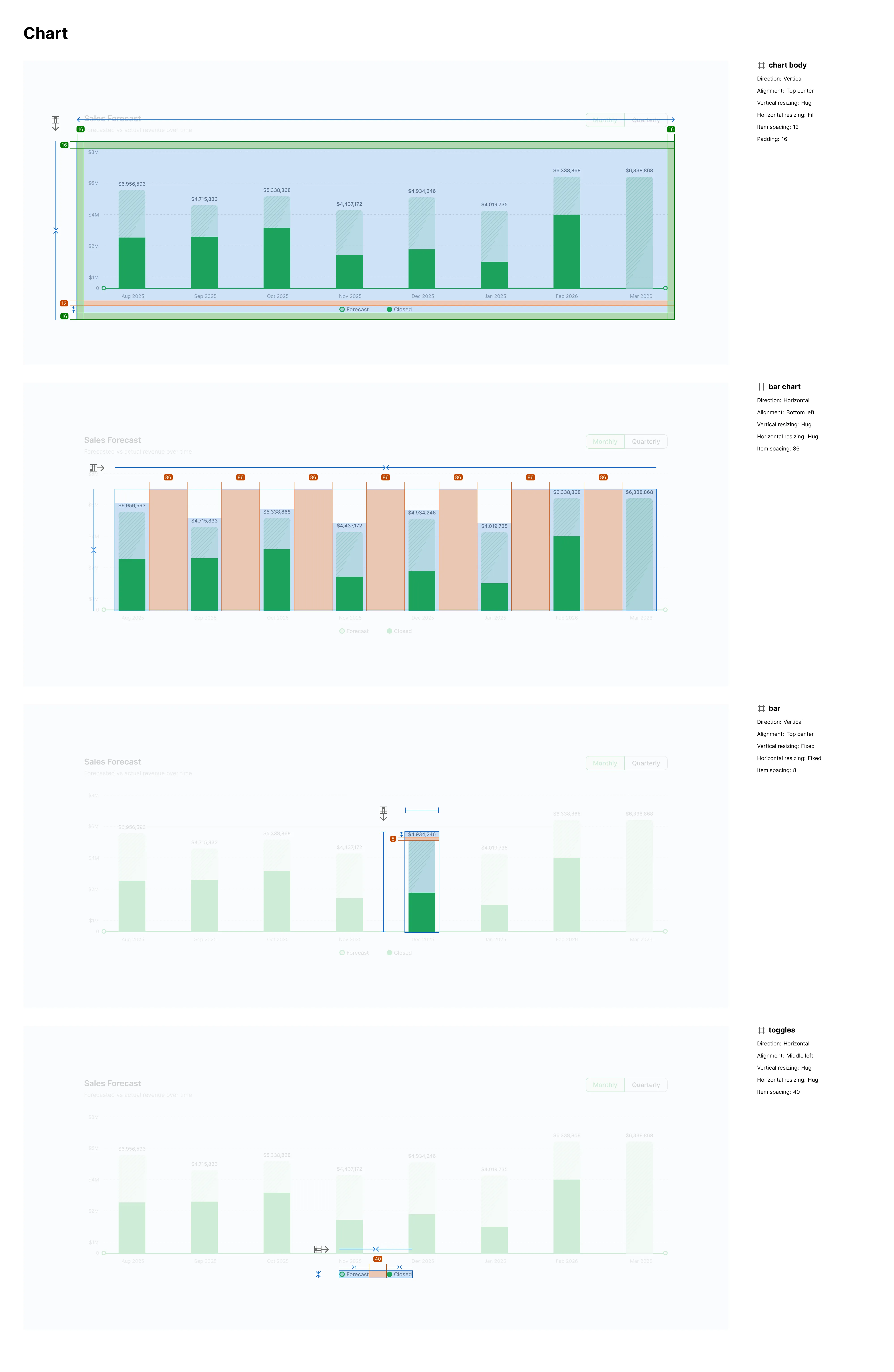
As Designer, I owned the entire system architecture: from reverse-engineering a codebase with zero design files to building the first component library and establishing a shared design-to-dev language.
SKILLS
Systems Thinking, UI Architecture, Token Mapping, Figma Engineering, Frontend Collaboration
IMPACT
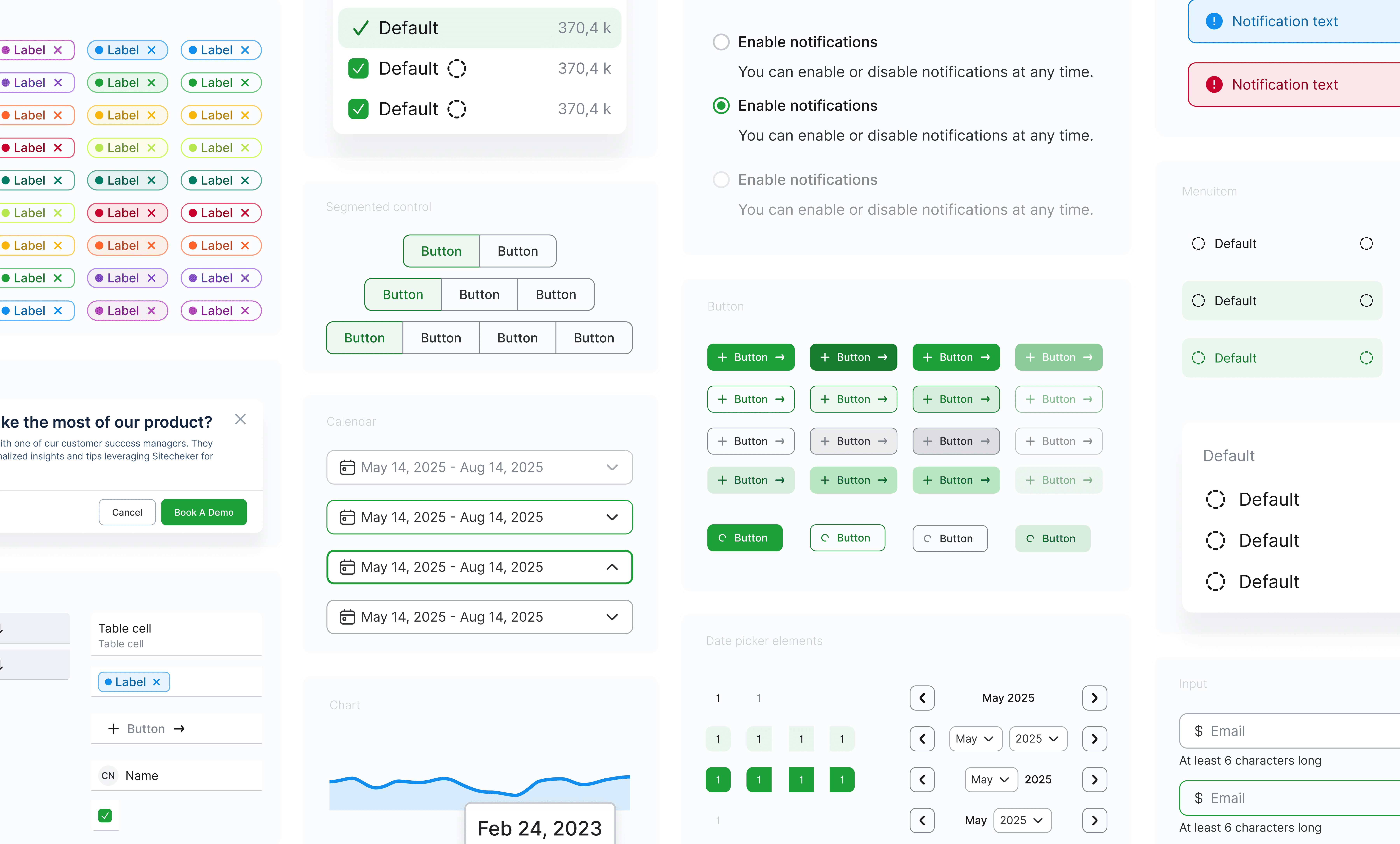
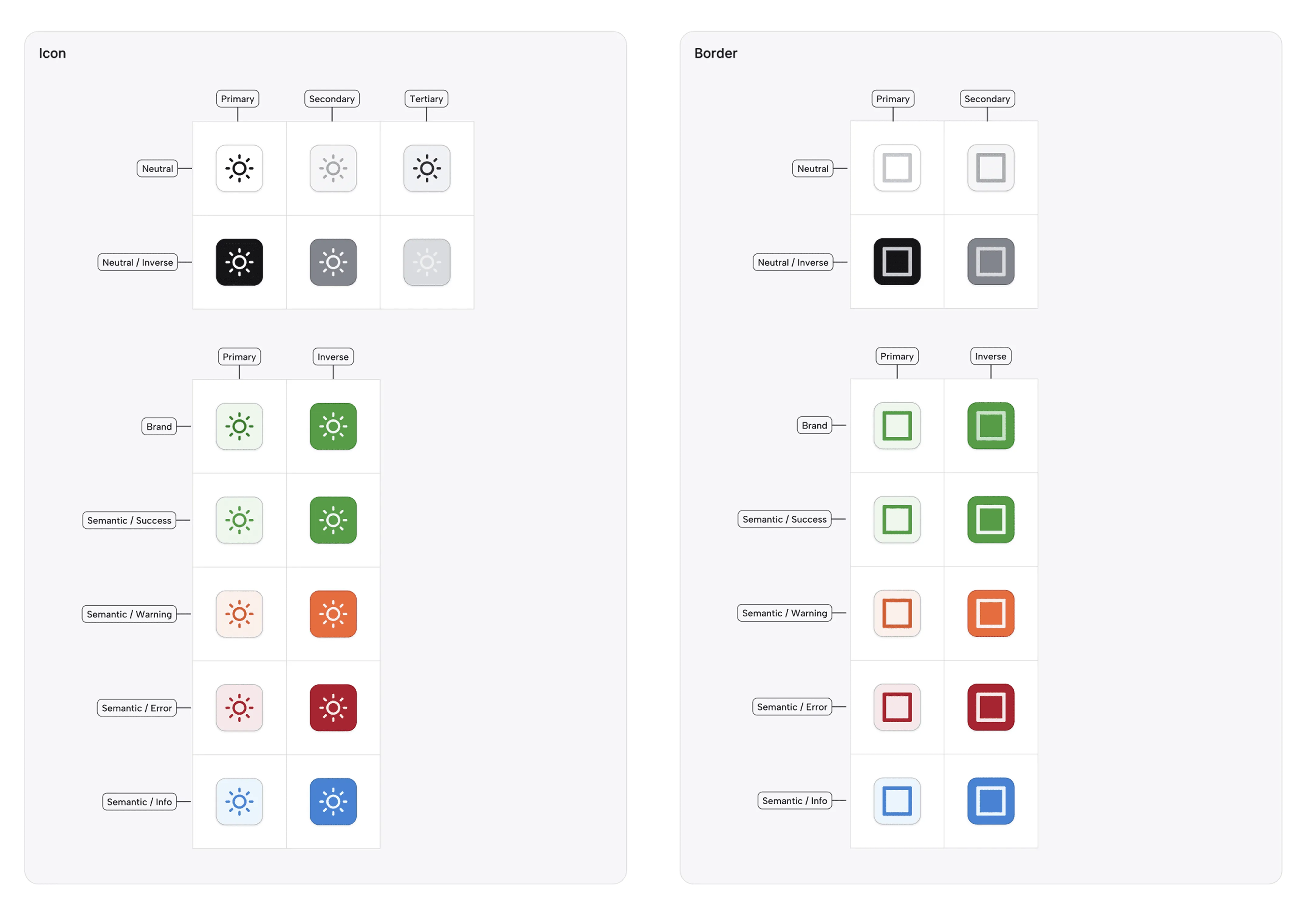
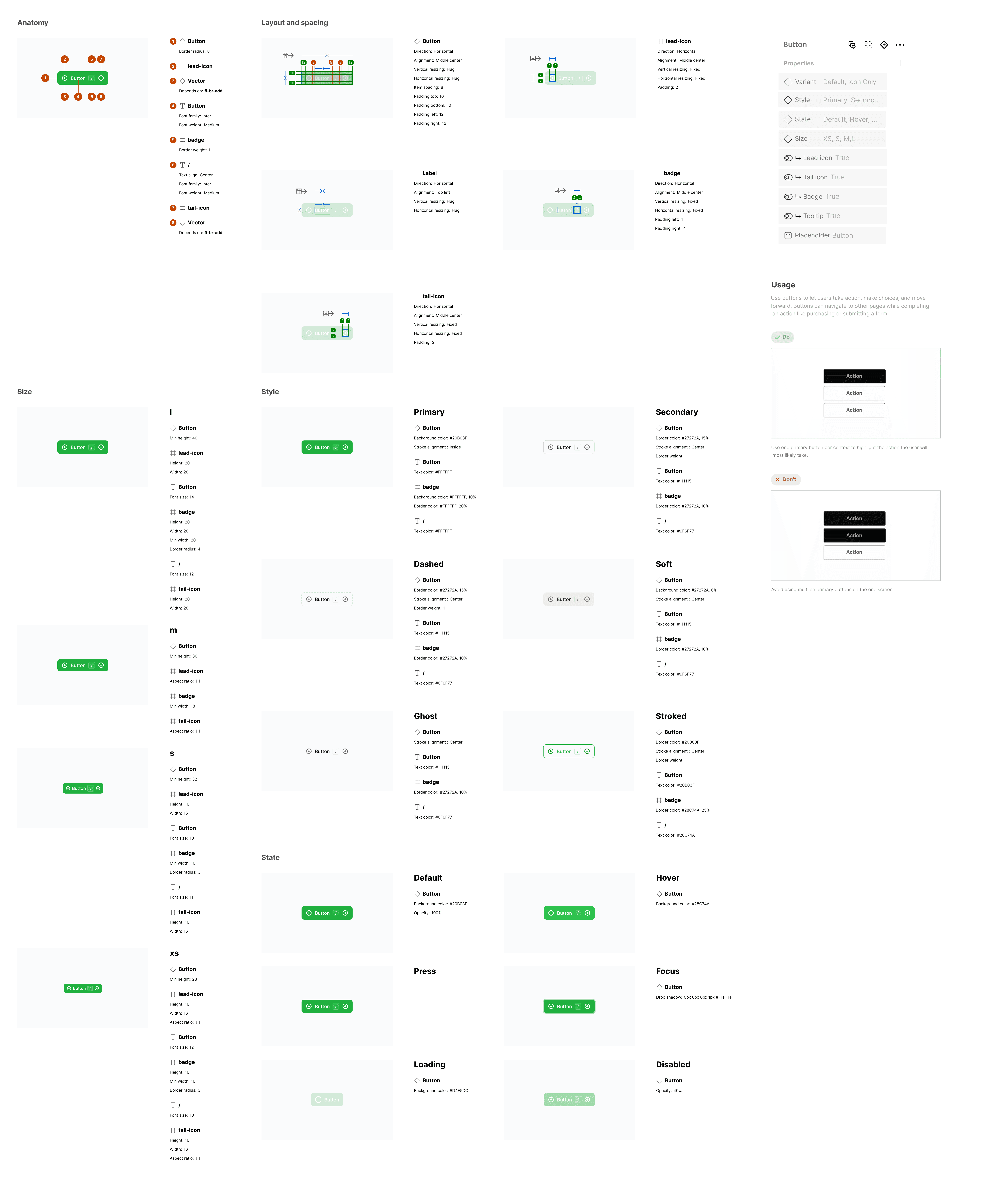
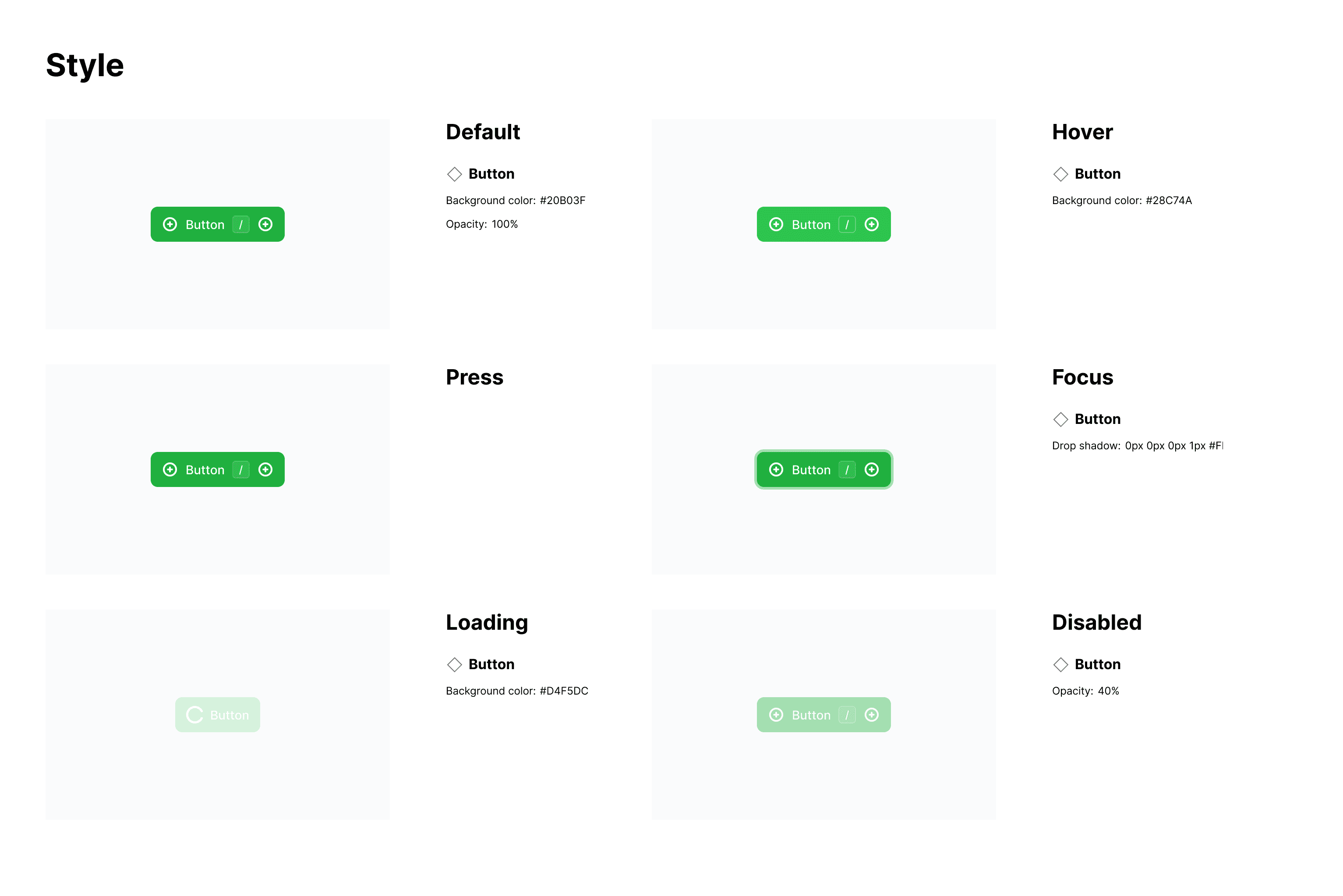
Transformed a chaotic, developer-built interface into a structured design system. Standardized 15 button variants into one, eliminated infinite color guessing, and cut new feature implementation time, while reducing user confusion through predictable interactive states.
THE PROBLEM
The developer art reality
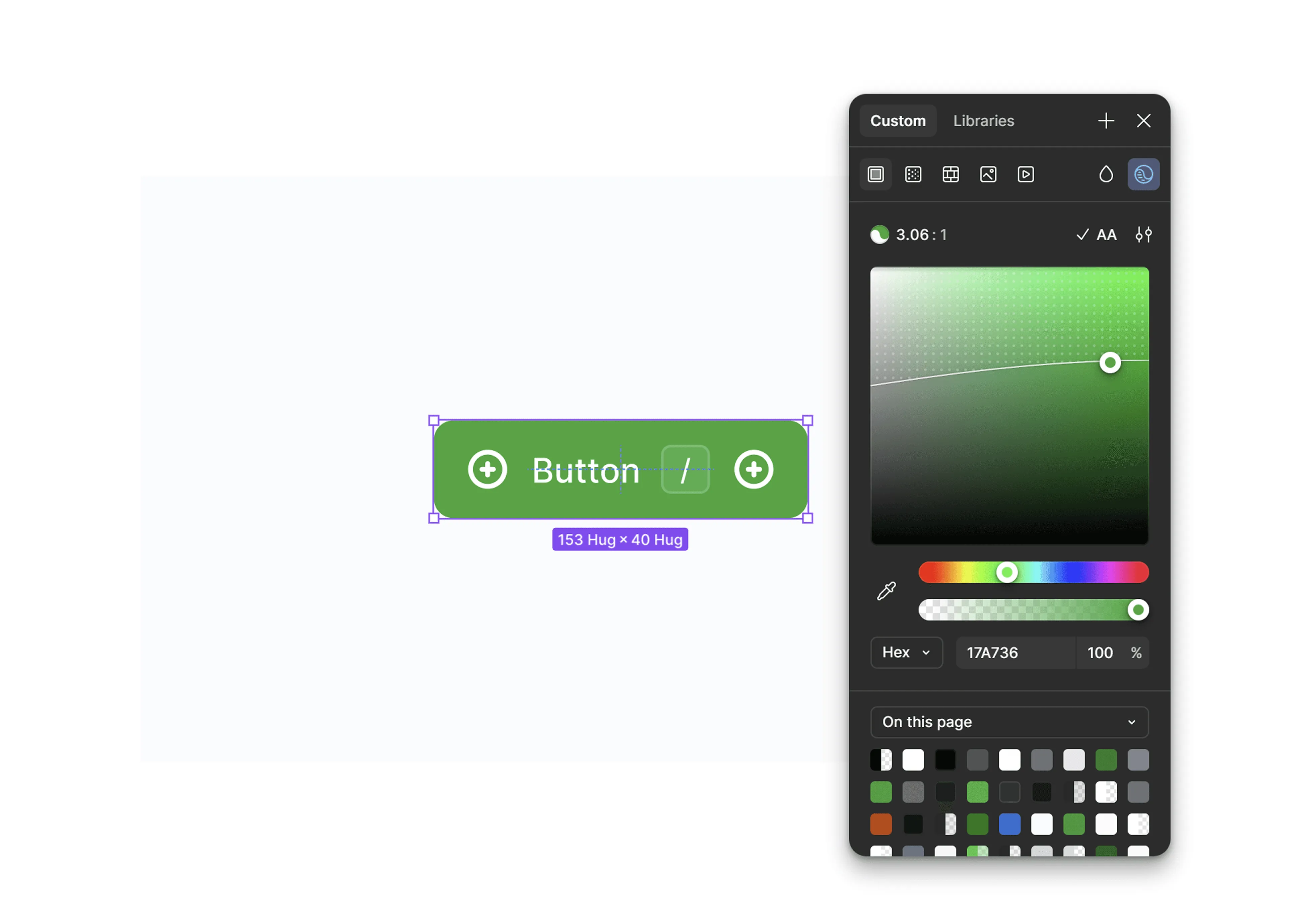
The product suffered from engineering UI. It worked fine but lacked visual hierarchy and predictability for the user. The only source of truth was the browser itself. To design a new feature, I had to screenshot the existing site and paint over it. We carried massive visual debt with fifteen variations of the same button and a color palette that was technically infinite because every developer picked hex codes visually. Development was painfully slow because every interface element was built from scratch. We were accruing technical debt with every commit.
THE PHILOSOPHY
The cultural shift of system building
STEP 1
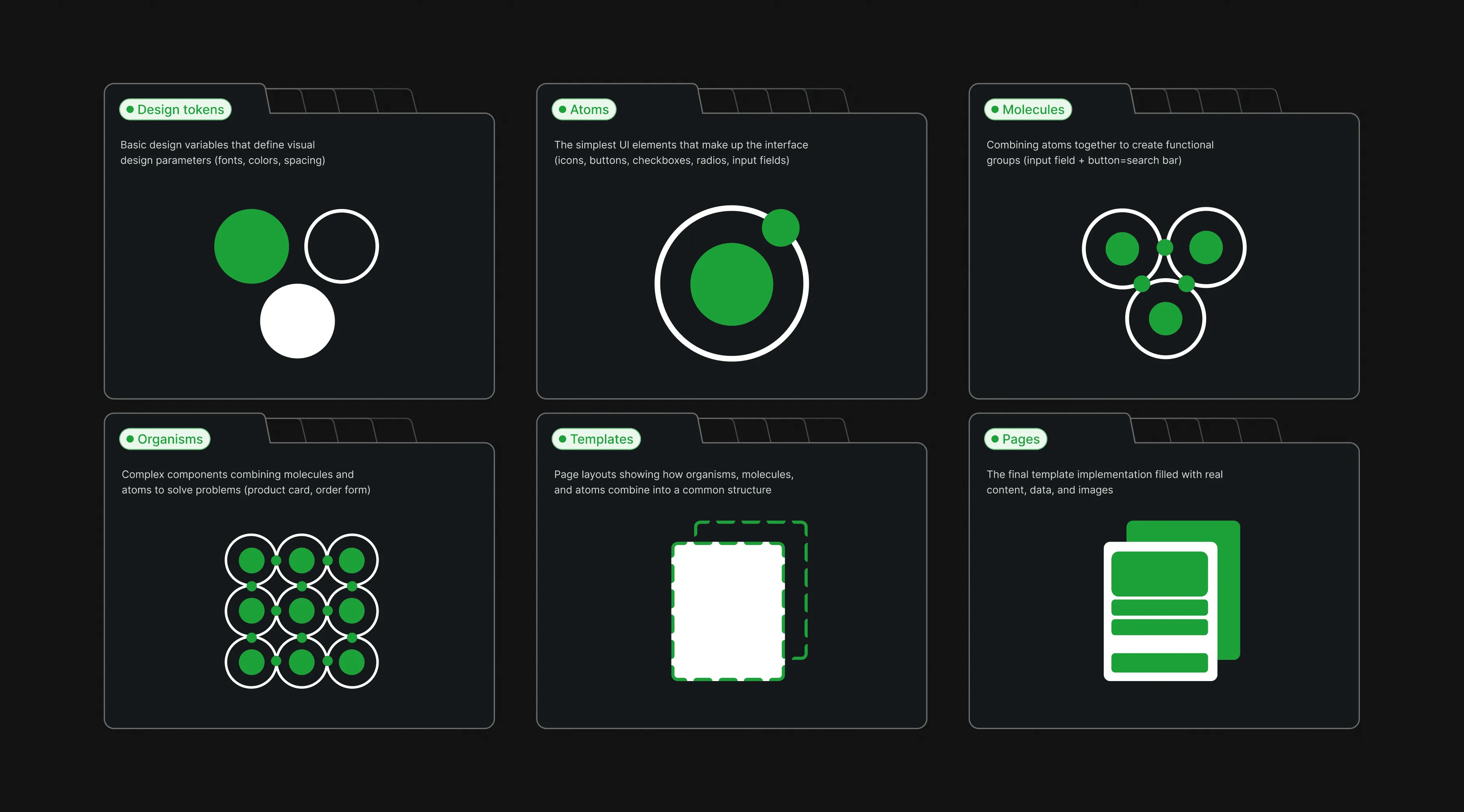
Visual archaeology + audit

STEP 2
Consolidating + rebuilding
STEP 3
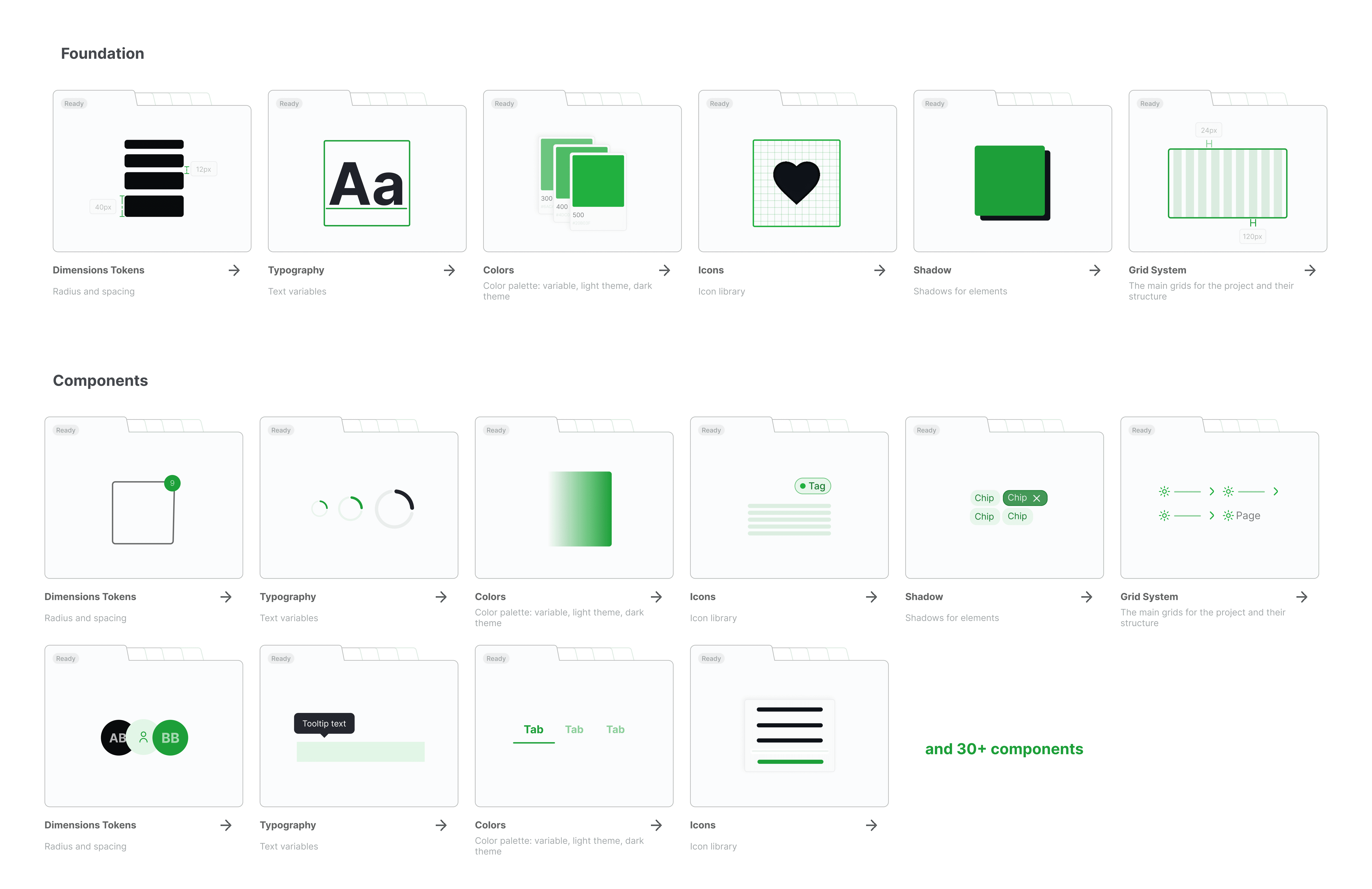
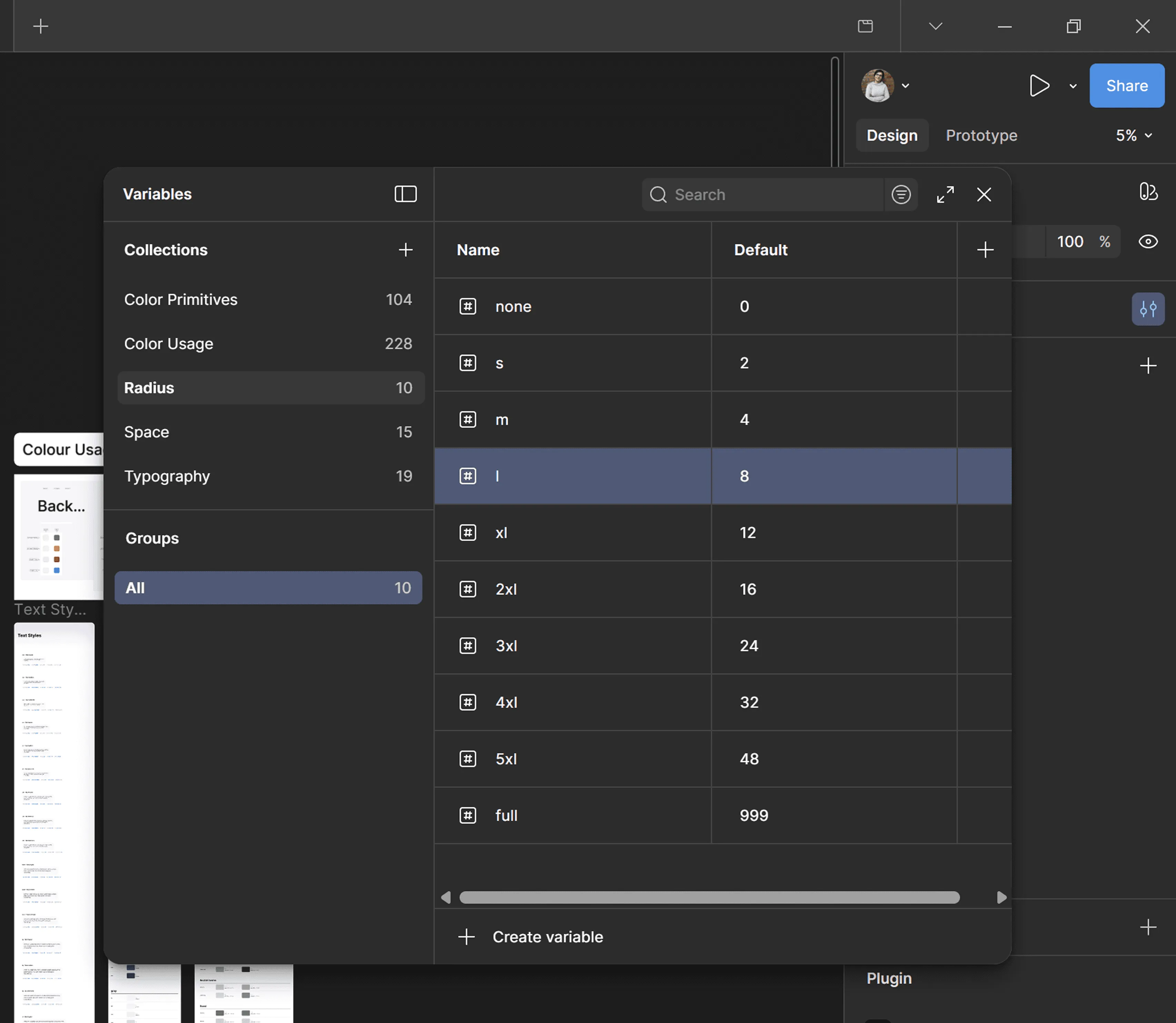
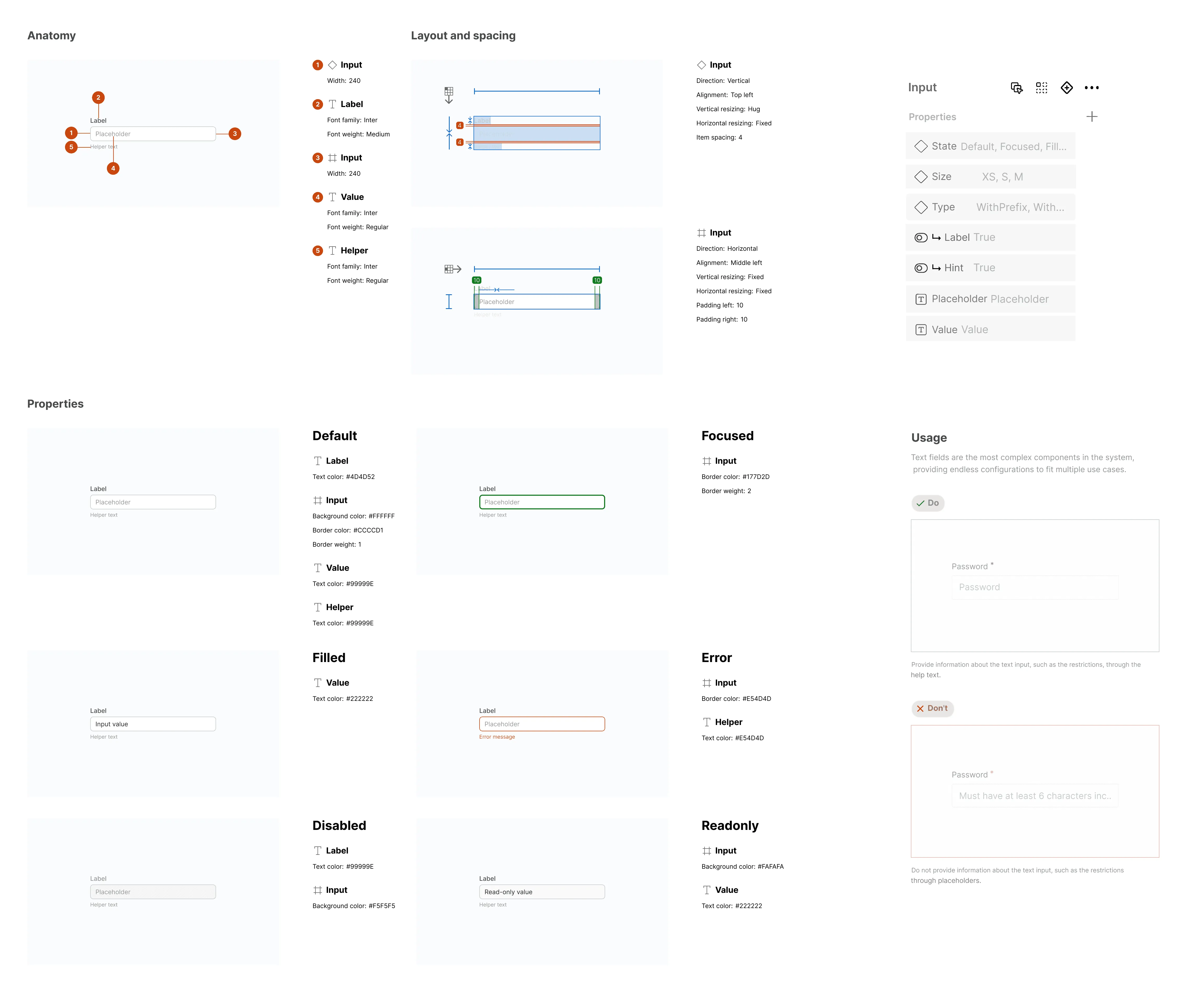
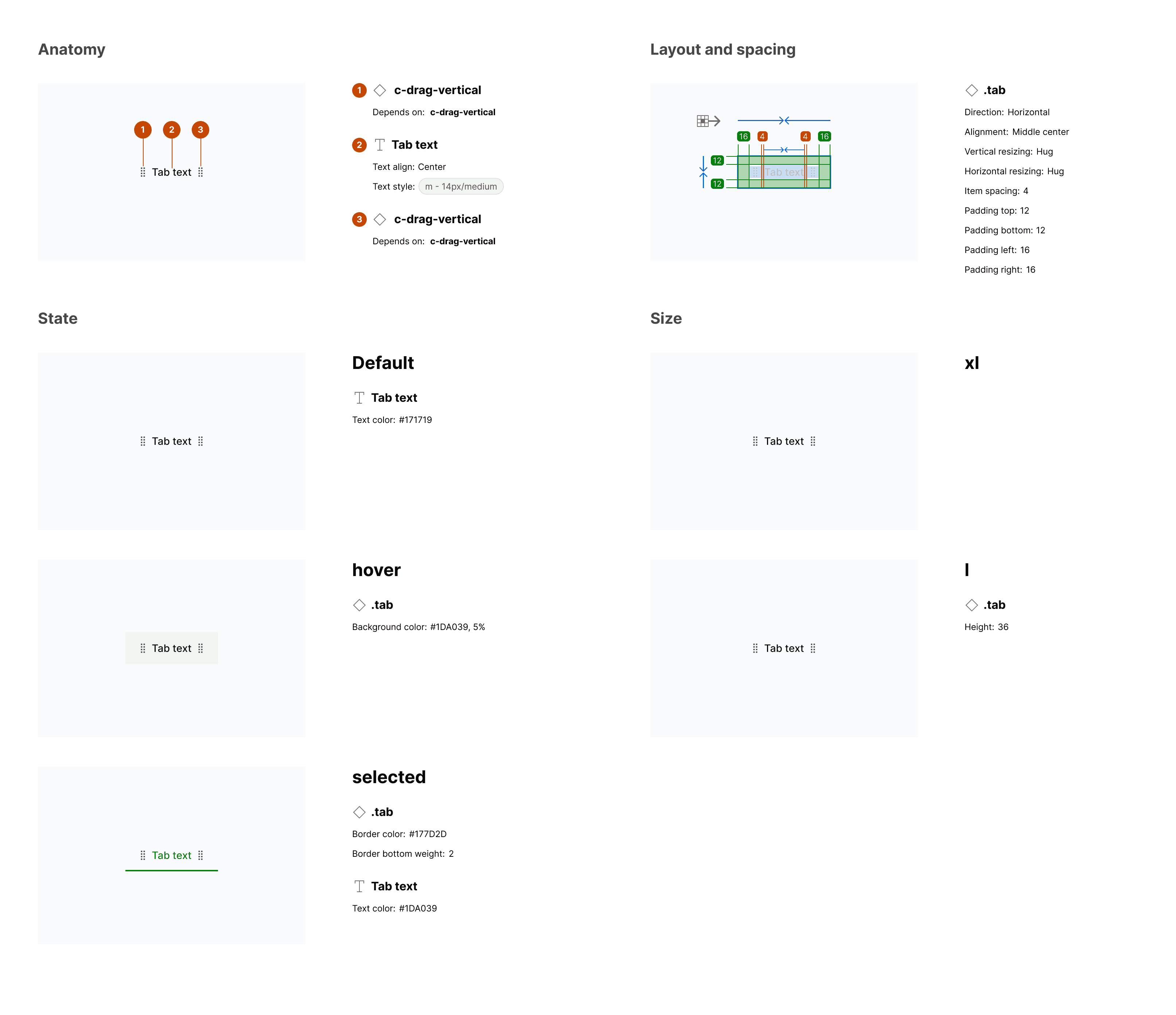
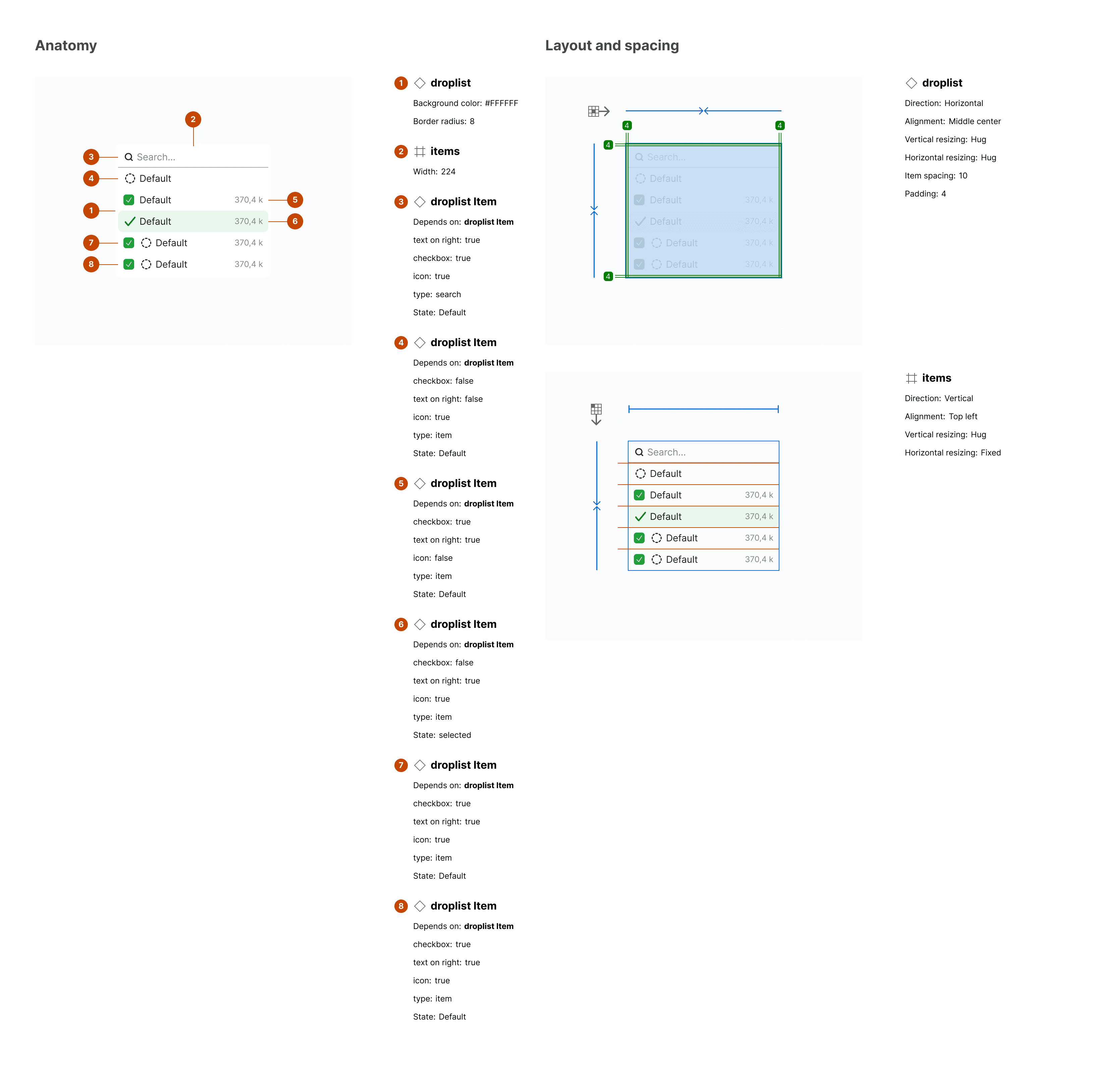
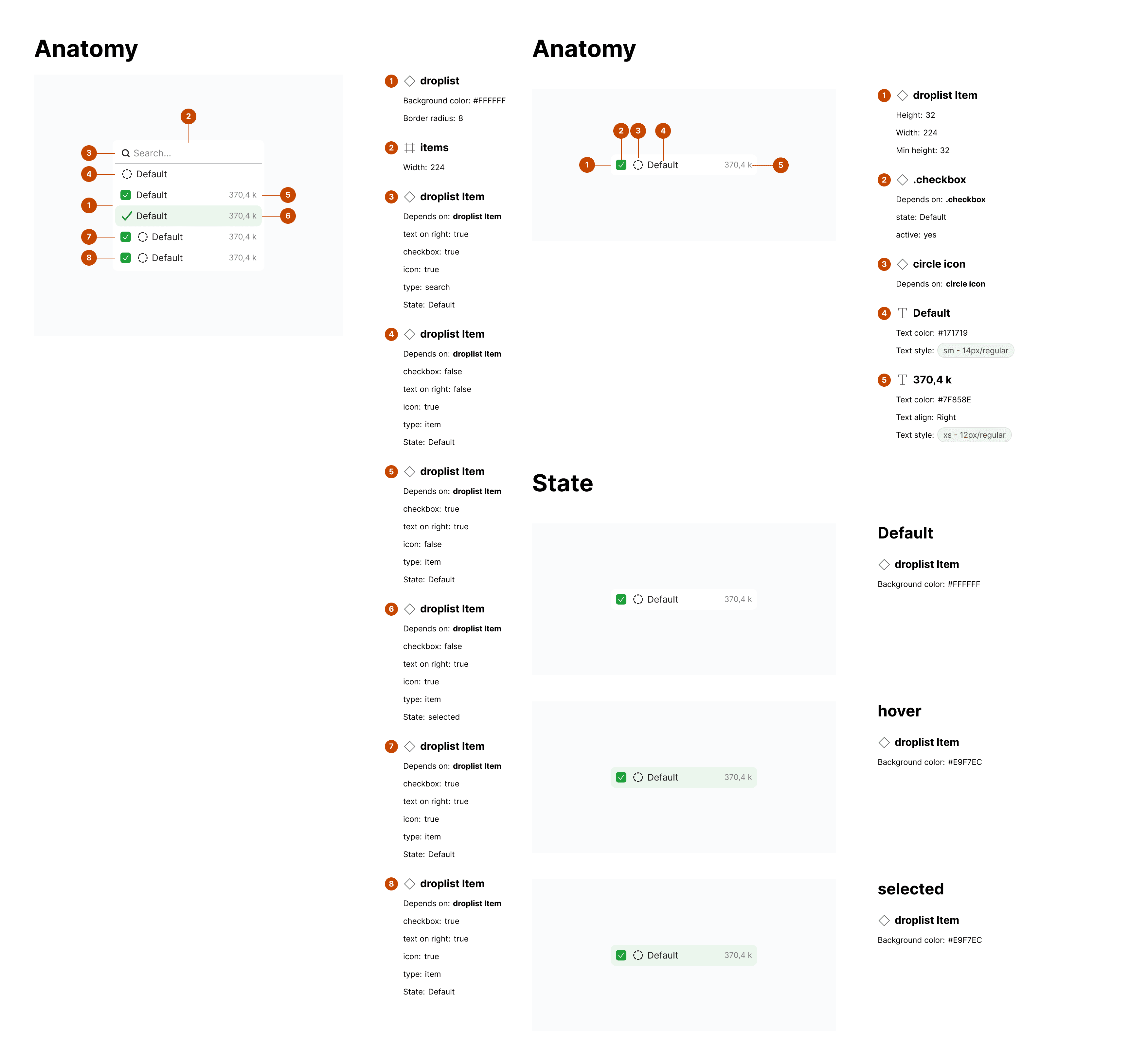
Documenting + systematizing
ACCESSIBILITY
Designing for inclusivity
SCALING
Growing beyond the basics
PRODUCT IMPACT
Fixing the user experience
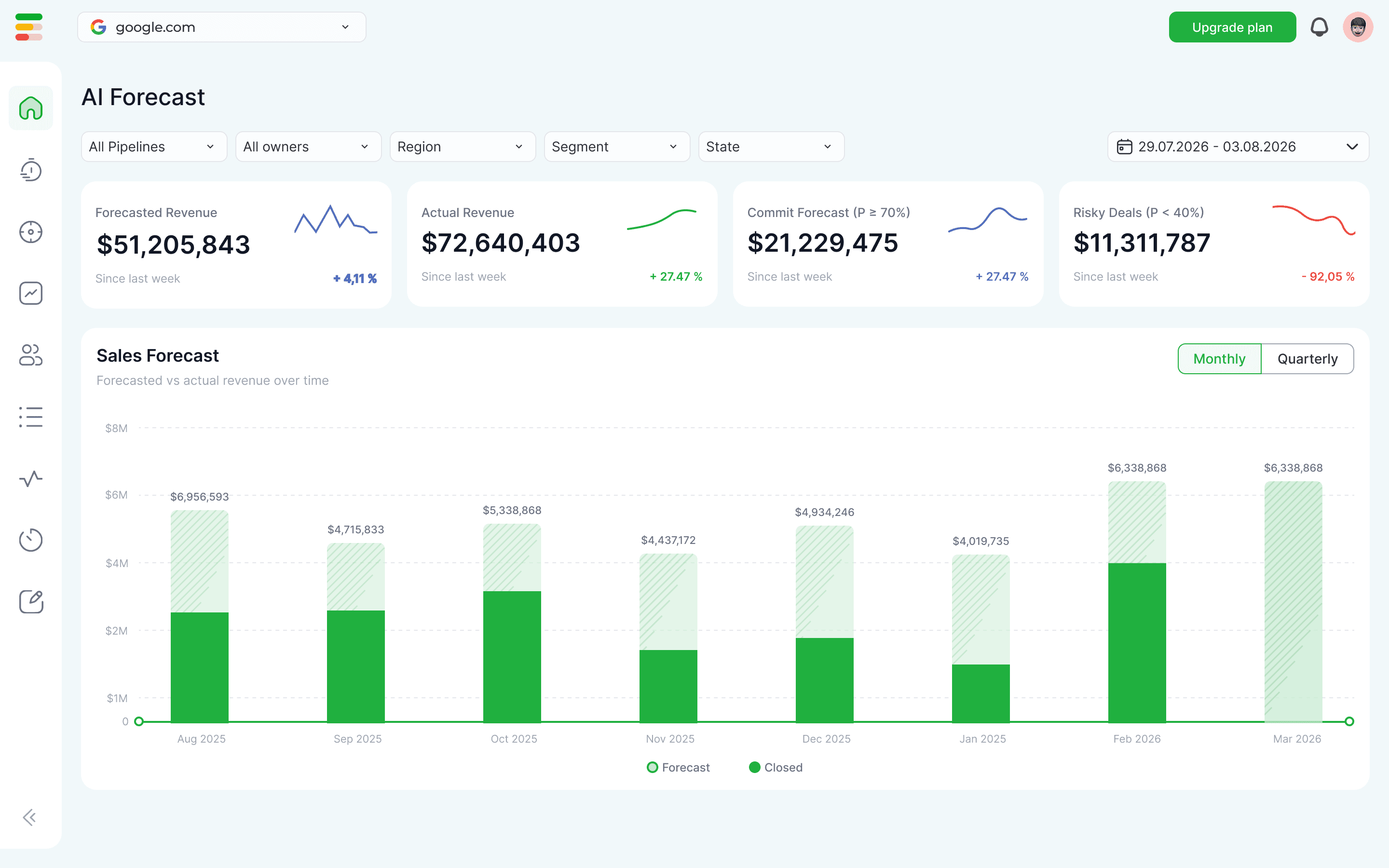
A design system exists to solve direct user friction rather than just internal inefficiencies. I used the new component library to establish strict spatial logic across our analytics dashboard by anchoring the calendar and global filters into a predictable top toolbar. Users stopped treating every new screen like a scavenger hunt because they could finally rely on established layout patterns. This architectural shift also transformed our heavy data entry flows.
CHALLENGE
Challenges <> Clarity
CHALLENGE
Custom code for every feature
Frontend engineers spent hours writing fresh styles for basic modals. They guessed padding values based on flat screenshots.
CLARITY
Building with modular blocks
Engineers now assemble interfaces using our atomic components. They pull variables directly from our established tokens to eliminate visual guesswork entirely.
CHALLENGE
High cognitive load
Users clicked unclickable elements because our text links shared the styling of primary actions. The interface lacked spatial logic.
CLARITY
Predictable interactive patterns
We anchored core controls into dedicated toolbars. Standardized interactive states mean users navigate the platform through muscle memory rather than active problem solving.
CHALLENGE
Tribal knowledge blocked scaling
Onboarding a new designer meant spending weeks explaining undocumented rules and digging through the live codebase.
CLARITY
A shared visual vocabulary
New hires pull the component library on their first day. The interaction rules are baked directly into the file properties so they can start building actual features immediately.
WHAT I LEARNED
Key takeaways
Code is the ultimate source of truth: Auditing the live codebase taught me more about real usage patterns than any user interview would have. When no design files exist, the browser shows you exactly what the product actually is rather than what the team thinks it is.
Ship components instead of redesigns: Attempting a massive redesign would have failed entirely. We avoided the trap of a big bang release. Shipping tokens and atomic elements incrementally allowed us to fix technical debt without freezing the product roadmap.
Adoption requires engineering empathy: A system fails if engineers refuse to use it. Learning how to inspect the DOM and map CSS constraints earned me the trust required to change how the entire team shipped software. The countless hours spent talking to developers were just as valuable as the hours spent aligning pixels in Figma.